Download Epsilon Fortress
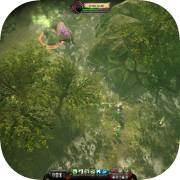
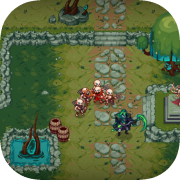
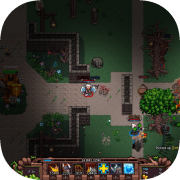
Screenshots
Download Information
Epsilon Fortress APK is available for Android devices. Download the latest version of the APK file and install it on your Android phone or tablet. Enjoy all features and updates directly from our app store.
Epsilon Fortress IPA is available for iOS devices. Download the latest IPA file and install it on your iPhone or iPad. No Jailbreak Required Our store provides safe and fast downloads for all iOS users.
Get Epsilon Fortress for your device now. Whether you need the APK for Android or the IPA for iOS, we have you covered with the latest version, free and secure.
About Epsilon Fortress
Epsilon Fortress's idea came after thinking about what the opposite of Ultrakill could be. A slow as possible shooter game with tedious mechanics instead of a fast paced shooter with simple mechanics.
Story:
You are a lost soldier, behind the enemy lines. Your mother-ship was
destroyed and you are stranded in orbit around the machine's home-world. Your faction has lost, you have no way of going back, you lost all communication and most importantly, they destroyed your AI. It is time for them to pay for what they did. You don't have anything else to do anyway, might as well take them down with you!
How to play:
Controls on foot:
WASD to move around when walking inside the mech,SPACE to interact what you are looking at
Controls in seat:
WS to throttle up and downAD to throttle left and right rotationZ to center rotation throttleX to stop the mechLEFT and RIGHT CLICK to shot with your left and right weaponSPACE to interact with your dash buttonsTAB to leave the seatTo test more stuff, you can press F2 to get more than enough resources to unlock and make everything, so feel free to test it out!
You are free to walk in the mech and interact with the displays and buttons. The first thing you will want to do is turn on your mech and select a mission right outside the cockpit. You have the engineering on the right, where you can research new techs, build new modules and weapons and repair the mech. On the left is the cooling tank and the weapon bay, where you can change your weapons. You start with only the MGUNS but can unlock new ones.
Once you are in a mission, you can still move around in the mech to make ammos, use the cooling tank and change weapons. Your mech is heavily armored but not indestructible. Repairing it can only be done in orbit, outside of missions. Be mindful of your heat level as the mech will shutdown if it reaches 100.
Once a mission is complete, you will hear a little jingle. You can stay and try to gather more resources or leave with the mission selection panel by hitting "Return", immobilizing the mech, getting picked back to orbit.The game saves whenever you come back to orbit, so you can continue playing in more than one sitting. If you want to reset or edit you save, you can (for now) go to your %appdata% folder and delete/edit the save or from linux in your ~/.local/share/Epsilon Fortress folder.
Information
Seller
Double Wookie
Version
v2.2
Released
Jun 24, 2022