Download Escape to Moscow
For iOS, you will be prompted to install a configuration profile. This is safe and standard for adding web apps to your Home Screen.
This will add an icon for Escape to Moscow to your Home Screen. Tapping it will take you to an interactive loading page before launching the game.
If you wish to remove the profile later, go to Settings > General > VPN & Device Management, select the profile for Escape to Moscow, and tap "Remove Profile".
Screenshots
Download Information
Escape to Moscow APK is available for Android devices. Download the latest version of the APK file and install it on your Android phone or tablet. Enjoy all features and updates directly from our app store.
Escape to Moscow IPA is available for iOS devices. Download the latest IPA file and install it on your iPhone or iPad. No Jailbreak Required Our store provides safe and fast downloads for all iOS users.
Get Escape to Moscow for your device now. Whether you need the APK for Android or the IPA for iOS, we have you covered with the latest version, free and secure.
About Escape to Moscow
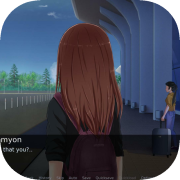
Freelance IT specialist Semyon meet a girl from Dagestan on the Internet. However, their relationship quickly grow over the regular chatting - he decides to help her run away from home. That is how their amazing adventure begins.
The game has multiple bad endings and only one good ending - it all depends on choices you make.
What choice should you make? Which way to go towards your goal? Will you be able to win the trust of a girl living on the other side of the country? How far can you go on your way?
The duration of the novel is about four hours, during which you have to visit many different locations, as well as learn a lot about life in Russia.