Download Satellite Repairman
For iOS, you will be prompted to install a configuration profile. This is safe and standard for adding web apps to your Home Screen.
This will add an icon for Satellite Repairman to your Home Screen. Tapping it will take you to an interactive loading page before launching the game.
If you wish to remove the profile later, go to Settings > General > VPN & Device Management, select the profile for Satellite Repairman, and tap "Remove Profile".
Screenshots
Download Information
Satellite Repairman APK is available for Android devices. Download the latest version of the APK file and install it on your Android phone or tablet. Enjoy all features and updates directly from our app store.
Satellite Repairman IPA is available for iOS devices. Download the latest IPA file and install it on your iPhone or iPad. No Jailbreak Required Our store provides safe and fast downloads for all iOS users.
Get Satellite Repairman for your device now. Whether you need the APK for Android or the IPA for iOS, we have you covered with the latest version, free and secure.
About Satellite Repairman
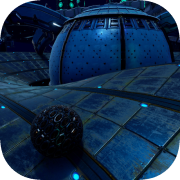
As a Qualified Satellite Repairman, you must manage a complex system of satellites to ensure that your planet is able to maintain its defenses from incoming missile threats. Repair, upgrade, research and launch new satellites and plug-able modules. Maintain the vital GPS and Cell signals to keep communications alive throughout the planet, ensuring a quick and efficient defense to counter enemy attacks.
How long can you last?Different Gameplay Modes Mission Scenarios (goal-oriented levels)
Endless Survival (survive attack waves)
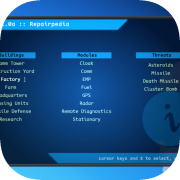
Sandbox mode (create your own challenges)Research new technologyUse the Research Center to upgrade and research new technology, improving your skills, unlocking new satellites modules and defense systems.Plan and deployOrder and deploy new satellites and buildings to lay out a perfect defensive strategy for your planet.3 different planetsPlay across 3 different planets, each with its own challenges.