Download Tims Insane Meta Universe てぃむ
For iOS, you will be prompted to install a configuration profile. This is safe and standard for adding web apps to your Home Screen.
This will add an icon for Tims Insane Meta Universe てぃむ to your Home Screen. Tapping it will take you to an interactive loading page before launching the game.
If you wish to remove the profile later, go to Settings > General > VPN & Device Management, select the profile for Tims Insane Meta Universe てぃむ, and tap "Remove Profile".
Screenshots
Download Information
Tims Insane Meta Universe てぃむ APK is available for Android devices. Download the latest version of the APK file and install it on your Android phone or tablet. Enjoy all features and updates directly from our app store.
Tims Insane Meta Universe てぃむ IPA is available for iOS devices. Download the latest IPA file and install it on your iPhone or iPad. No Jailbreak Required Our store provides safe and fast downloads for all iOS users.
Get Tims Insane Meta Universe てぃむ for your device now. Whether you need the APK for Android or the IPA for iOS, we have you covered with the latest version, free and secure.
About Tims Insane Meta Universe てぃむ
INSTRUCTIONS
WASD or ARROWS : move around
Z and X : Zoom in and out.
How it works
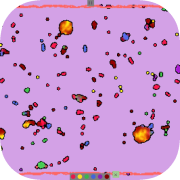
PHYSICS The simulation consists of a bunch of moving particles with friction. The forces on these particles are determined by the other particles around it. For instance, green can push yellow and yellow can in turn pull green. This makes green chase yellow. Open the physics table to see if a color is pushed or pulled by another color.
CHEMISTRY Particles can change color as well, this happens through chemistry. When two types of particles touch they change collor according to the chemistry rules. These can be seen in the chemistry table.
SLIDERS The sliders under realtime settings change the parameters of the entire universe.
Temperature determines how much velocity is lost, this can also be seen as friction.
Interaction force magnifies the forces between particles.
Interaction range sets the range where particles push or pull eachother. The highest force is in the middle of the range.
Reaction speed sets the probability that a reaction will happen when particles touch on a frame.
Universe Assembler
You can add or remove your own rules using the universe assembler. Open simulation settings and click on universe assembler.
First the number of types should be specified.
nTypes
The maximum number of types in the assembler is 9. After this you can add your rules. When you make a mistake, the line will turn red and start shaking. the most common mistake is to forget the semicolon ;
REACTION: A chemical reaction can be added as
p
p
-> p
p
;
where all numbers are between 0 and (nTypes -1) When you enter an invalid number the line of code will turn purple. As an example, the line
p0 p2 -> p1 p3;
is a reaction that turns red(0) and green(2) into yellow(1) and blue(3).
ATTRACTION: Attraction between two particles can be added as
p
to p
Where number is between 0 and (nTypes-1) and force is between -100 and 100. A negative force will make the first particle move towards the second. A positive force moves the first particle away from the second. For instance the line
p2 to p3 -100;
makes green attracted to blue with a force of 100.
Saving and sharing
You can save the code to your clipboard by pressing copy. Just paste it in some text file or a word document somewhere on your computer. Paste it back into the assembler when you want to load this universe again.