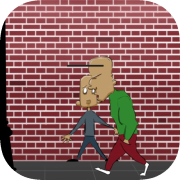
Download Trijam 152 - Leave me alone!
For iOS, you will be prompted to install a configuration profile. This is safe and standard for adding web apps to your Home Screen.
This will add an icon for Trijam 152 - Leave me alone! to your Home Screen. Tapping it will take you to an interactive loading page before launching the game.
If you wish to remove the profile later, go to Settings > General > VPN & Device Management, select the profile for Trijam 152 - Leave me alone!, and tap "Remove Profile".
Screenshots
Download Information
Trijam 152 - Leave me alone! APK is available for Android devices. Download the latest version of the APK file and install it on your Android phone or tablet. Enjoy all features and updates directly from our app store.
Trijam 152 - Leave me alone! IPA is available for iOS devices. Download the latest IPA file and install it on your iPhone or iPad. No Jailbreak Required Our store provides safe and fast downloads for all iOS users.
Get Trijam 152 - Leave me alone! for your device now. Whether you need the APK for Android or the IPA for iOS, we have you covered with the latest version, free and secure.
About Trijam 152 - Leave me alone!
How to play:
Press UP to evade the brutes.
Your character hides for 5 seconds, then resumes walking.Best played with Windows or Linux version.
Html version may be a bit choppy.
Beware: Linux version not tested.
Font: https://fonts.google.com/specimen/Patrick+Hand